



Download Flipboard – Media Aggregation, News Reader, Magazine Layout, RSS Feed, Social Integration
Overview
Flipboard is a media aggregation application designed to transform the way users consume online content by presenting it in a magazine-style layout. Unlike traditional web browsers or news apps that display full webpages, Flipboard curates articles, posts, and multimedia from a wide range of sources—including websites, social media platforms, blogs, and trending topics—into a visually engaging, easy-to-navigate format. The software aims to solve the challenge of information overload by organizing content into personalized digital magazines, enabling users to read articles in a more immersive and structured manner.
Target users include professionals, students, and general consumers who seek a streamlined, visually appealing way to stay informed. The app is particularly useful for individuals who follow multiple topics, influencers, or publications and want a centralized, aesthetically pleasing platform to access curated content. It supports integration with social networks such as Facebook, Twitter, Instagram, and Google+, allowing users to pull in content from their networks and favorite accounts. Additionally, users can add custom RSS feeds to include niche or independent sources.
Flipboard’s design philosophy emphasizes readability and personalization. Articles are reformatted to fit the magazine layout, enhancing visual flow and reducing distractions. The developer, Flipboard, Inc., has positioned the app as a leader in digital content consumption, leveraging its acquisition of Zite to improve content discovery and relevance. The app is available on iOS, Android, and Windows 10, with a focus on tablet and mobile usability. It was first released on May 1, 2014, and continues to evolve with updates that enhance performance and user experience.
Key Features & Capabilities
- Personalized Magazine Layout – Content is automatically arranged into visually rich, magazine-style pages that mimic print publications, improving readability and user engagement.
- Multi-Source Content Aggregation – Pulls articles from websites, social media platforms, RSS feeds, hashtags, and trending topics, creating a unified reading experience.
- Social Network Integration – Users can connect Facebook, Twitter, Instagram, and Google+ accounts to include posts and updates directly in their magazine feed.
- Offline Reading & Saving – Articles can be saved to personal collections for offline access, making it ideal for travel or low-connectivity environments.
- Content Sharing & Interaction – Users can share articles via social media, send them via messaging apps, and like or comment on content within the app.
- Topic-Based Content Discovery – Offers curated lists grouped by interest (e.g., “Android News,” “Tech Trends”) for one-click addition of relevant publications.
- Video Embedding Support – Displays embedded videos directly within articles, enhancing multimedia engagement beyond static text and images.
- Flipboard-Optimized Content – Partners with major publishers like BBC and Mashable to ensure content is formatted for optimal reading within the app.
These features enable users to build a dynamic, customizable reading experience. For example, a tech enthusiast can follow trending hashtags, integrate their Twitter feed, and subscribe to RSS feeds from niche blogs—all within a single, cohesive interface. The app’s ability to reformat content for better visual flow makes it ideal for long-form reading sessions or quick daily updates. The inclusion of video support expands its utility beyond text-based content, positioning it as a comprehensive digital magazine platform.
User Interface, Workflow & Performance
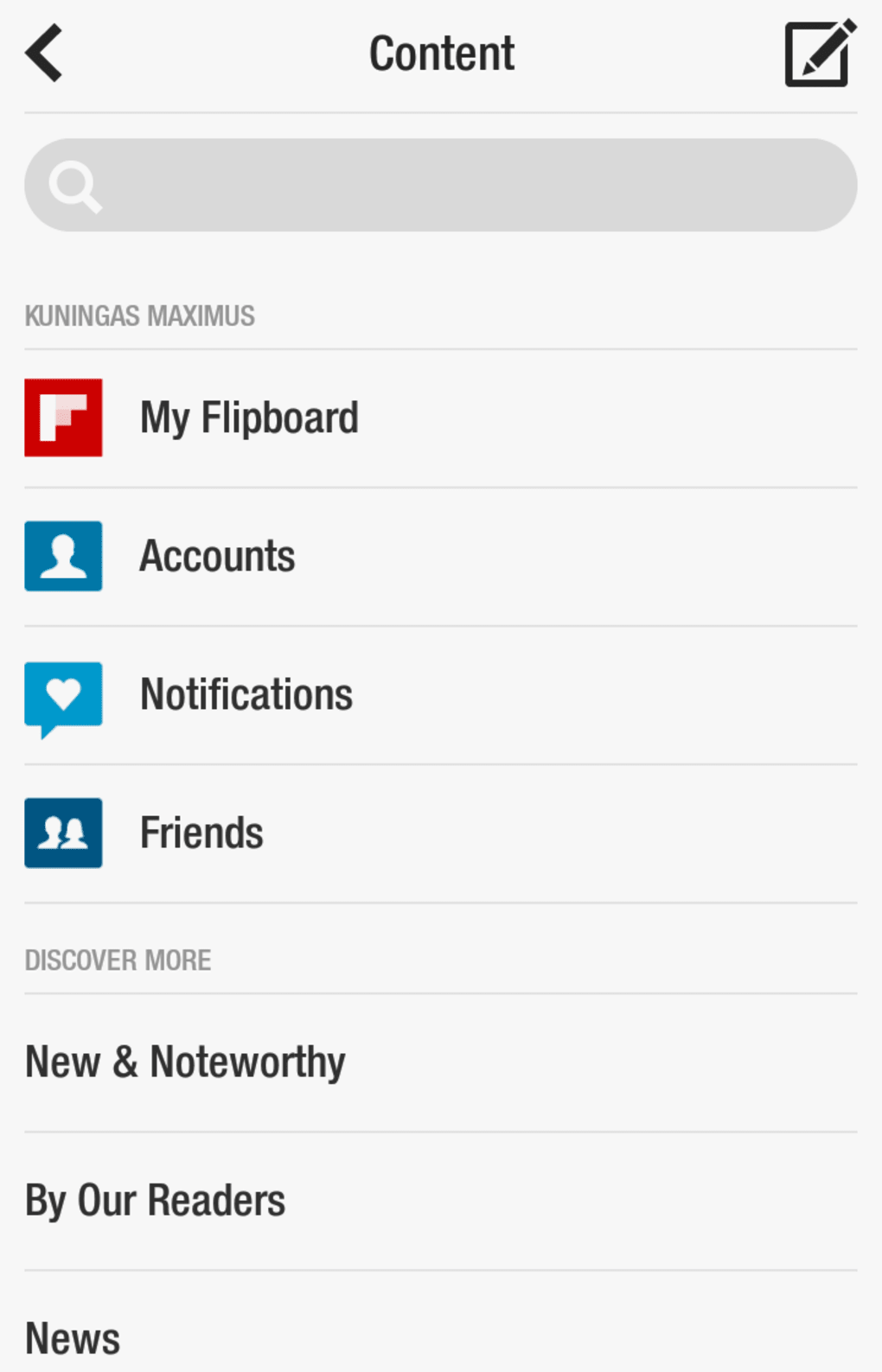
Flipboard features a clean, intuitive user interface centered around swipe-based navigation. Users can browse content by swiping up and down between articles, with each page styled like a physical magazine spread. Tapping an article opens it in full view, with text, images, and embedded media displayed in a readable format. The interface is designed to minimize distractions, focusing on content presentation rather than web clutter.
Workflow efficiency is high, thanks to the red ribbon at the top of the screen, which provides quick access to new content sources, topic categories, and personalized recommendations. Adding new publications or RSS feeds requires only a few taps, and the app automatically organizes content based on user preferences and engagement patterns. The app also allows users to open the original webpage if additional context is needed, preserving access to source material.
Performance details were not specified by the developer. However, the app is optimized for tablets and mobile devices, supporting seven-, eight-, and ten-inch screens with responsive layouts. The developer did not provide specific information on CPU or RAM usage.
General software behavior suggests stable operation under typical usage conditions. Stability is maintained through regular updates, including bug fixes and performance improvements. The app’s design prioritizes smooth scrolling and quick load times for formatted content, though actual performance may vary based on device capabilities and internet speed.
Compatibility & System Requirements
Flipboard is compatible with iOS 12.0 or later, Android 6.0 or later, and Windows 10. The software is available as a desktop application on Windows 10, though it is primarily designed for mobile and tablet use. The installation size is 128 MB, indicating a lightweight footprint suitable for most modern devices.
Exact system requirements were not listed. The developer did not specify minimum hardware specifications such as processor speed, RAM, or storage space. Compatibility information is limited to operating system versions. Users should ensure their device meets the OS version requirements to install and run the app. No additional dependencies or third-party software are required for basic functionality.
Pros and Cons
Pros
- Visually appealing magazine-style layout enhances readability and user engagement.
- Supports integration with multiple social networks and RSS feeds for comprehensive content aggregation.
- Offline reading and saving capabilities allow access without internet connectivity.
- Intuitive swipe-based navigation and one-click content addition streamline the user experience.
- Includes video embedding and supports Flipboard-optimized content for better formatting.
- Available on multiple platforms including iOS, Android, and Windows 10.
- Regular updates include performance improvements and new features like expanded topic selection.
Cons
- Performance and resource usage details were not disclosed by the developer.
- Some features may require an internet connection for full functionality.
- Personalization relies on user activity and network integration, which may limit relevance for new users.
- Windows 10 version may not offer the same level of optimization as mobile counterparts.
- Optional in-app purchases may introduce monetization elements not present in the free version.
FAQ Section
Is Flipboard free to download and use?
Yes, Flipboard is free to download and use. The app includes optional in-app purchases for premium features or content, but core functionality is available at no cost.
Which operating systems does Flipboard support?
Flipboard is compatible with iOS 12.0 or later, Android 6.0 or later, and Windows 10. The app is designed for mobile and tablet devices, with a desktop version available on Windows 10.
Can I use Flipboard offline?
Yes, users can save articles to their personal magazines for offline reading. This feature allows access to content without an internet connection, making it ideal for travel or low-connectivity areas.
Is Flipboard secure to use?
While specific security details were not provided, the app integrates with trusted social media platforms and does not require sensitive personal data beyond login credentials. Users are advised to follow standard security practices when connecting accounts.
How often does Flipboard update?
Flipboard receives regular updates that include bug fixes, performance improvements, and new features. The latest version is 3.4.1, and updates are released periodically to enhance functionality and user experience.
Final Thoughts + CTA
Flipboard stands out as a polished, user-friendly solution for individuals seeking a magazine-style experience when consuming digital content. Its ability to aggregate articles from diverse sources—social media, RSS feeds, and trending topics—into a visually cohesive layout makes it a powerful tool for staying informed without the clutter of traditional web browsing. The app’s intuitive design, offline capabilities, and support for multimedia content further enhance its appeal.
While the developer did not disclose detailed performance metrics or system requirements, the app’s widespread availability and consistent updates suggest reliability and ongoing development. It is especially beneficial for professionals, students, and content enthusiasts who value both aesthetics and efficiency in their daily reading routines.
With its strong focus on personalization, cross-platform access, and seamless integration with major social networks, Flipboard remains a top choice in the news aggregation space. The combination of visual elegance and functional depth makes it a standout desktop and mobile application.
Download Flipboard now






.png)
